Websites
Minimal portfolio website design: the sections and details that work
How to design a minimal portfolio website: the homepage, projects section, case study, about, services and contact pages, with real screenshots of a dark minimal portfolio.
A minimal portfolio website has one job: take the right visitor to your best work, and from the work to a message. Minimal does not mean empty. It means every element on the page earns its place and the work gets the space. The examples below are screenshots of our own site, a dark minimal portfolio, with the reasoning behind each section.
What makes a portfolio minimal
- One pair of typefaces and a short colour list. A display face for headlines, a readable face for text, and one accent colour for actions.
- Space around the work. Project images are large, and nothing competes with them.
- Few, clear actions. Each page asks for one thing: see the work, read a case study, or get in touch.
- Fast pages. Images in WebP at the size they are shown, and no animation that delays the content.
The homepage
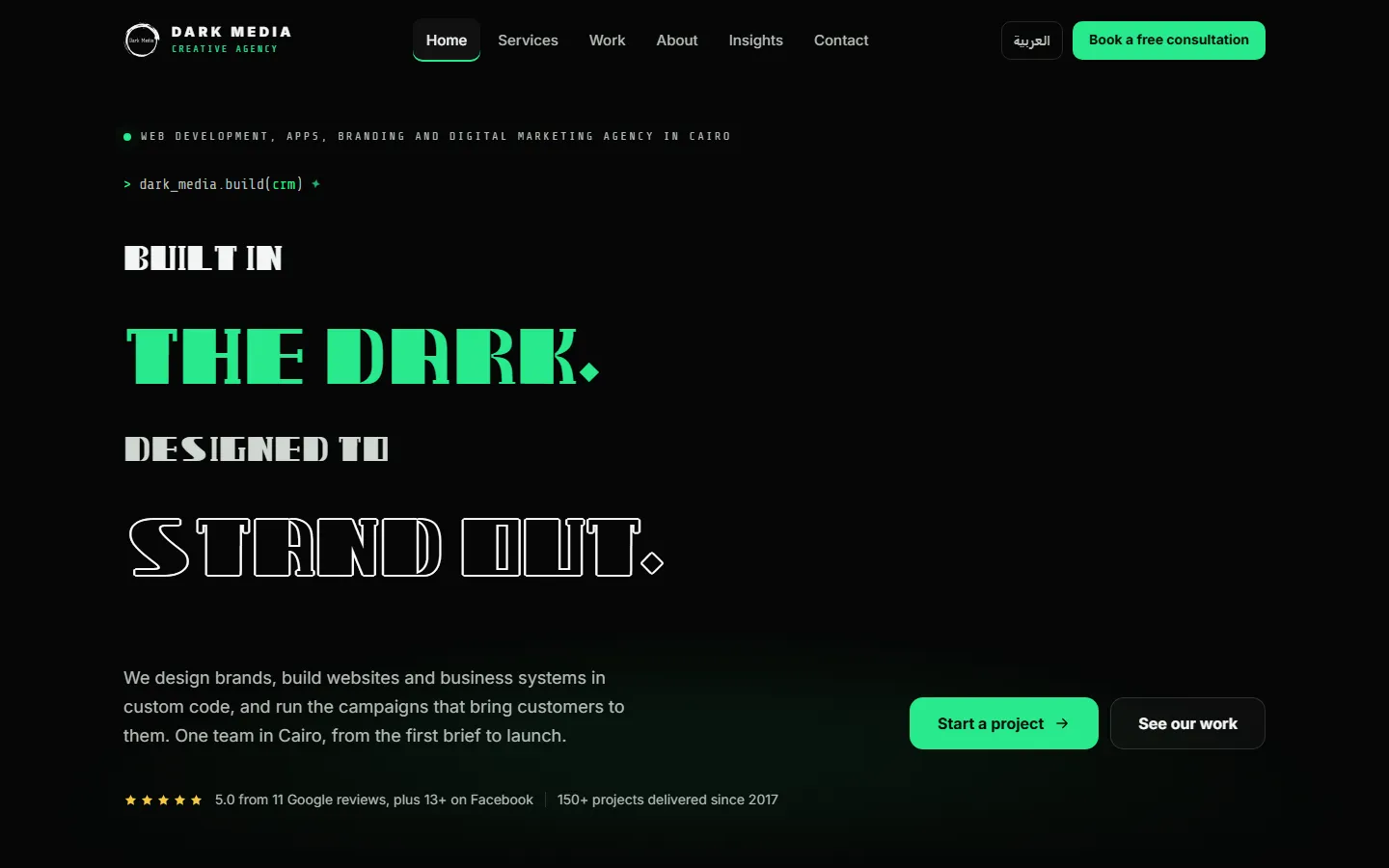
The first screen says who you are, what you do and where, then offers two actions: start a project or see the work. Proof sits under the buttons in one quiet line. A dark background suits portfolios full of bright project images, because the screenshots stand out against it.
The projects section
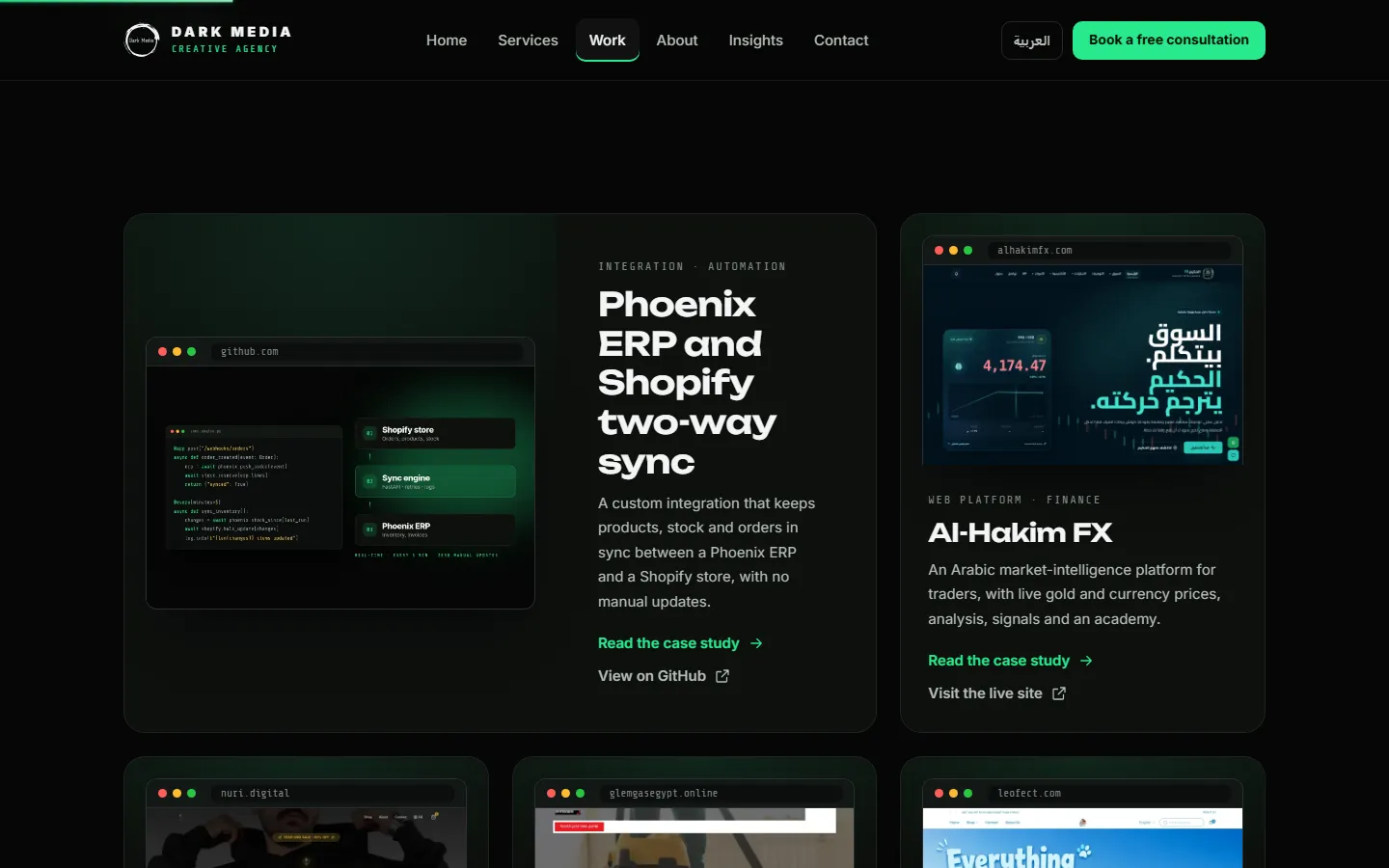
Show fewer projects, larger. Each card needs four things: an image of the real result, the type of work, one sentence on what was built, and a link to the full story. A simple browser or phone frame around each screenshot tells the visitor at a glance whether it is a website, a store or an app.
The case study page
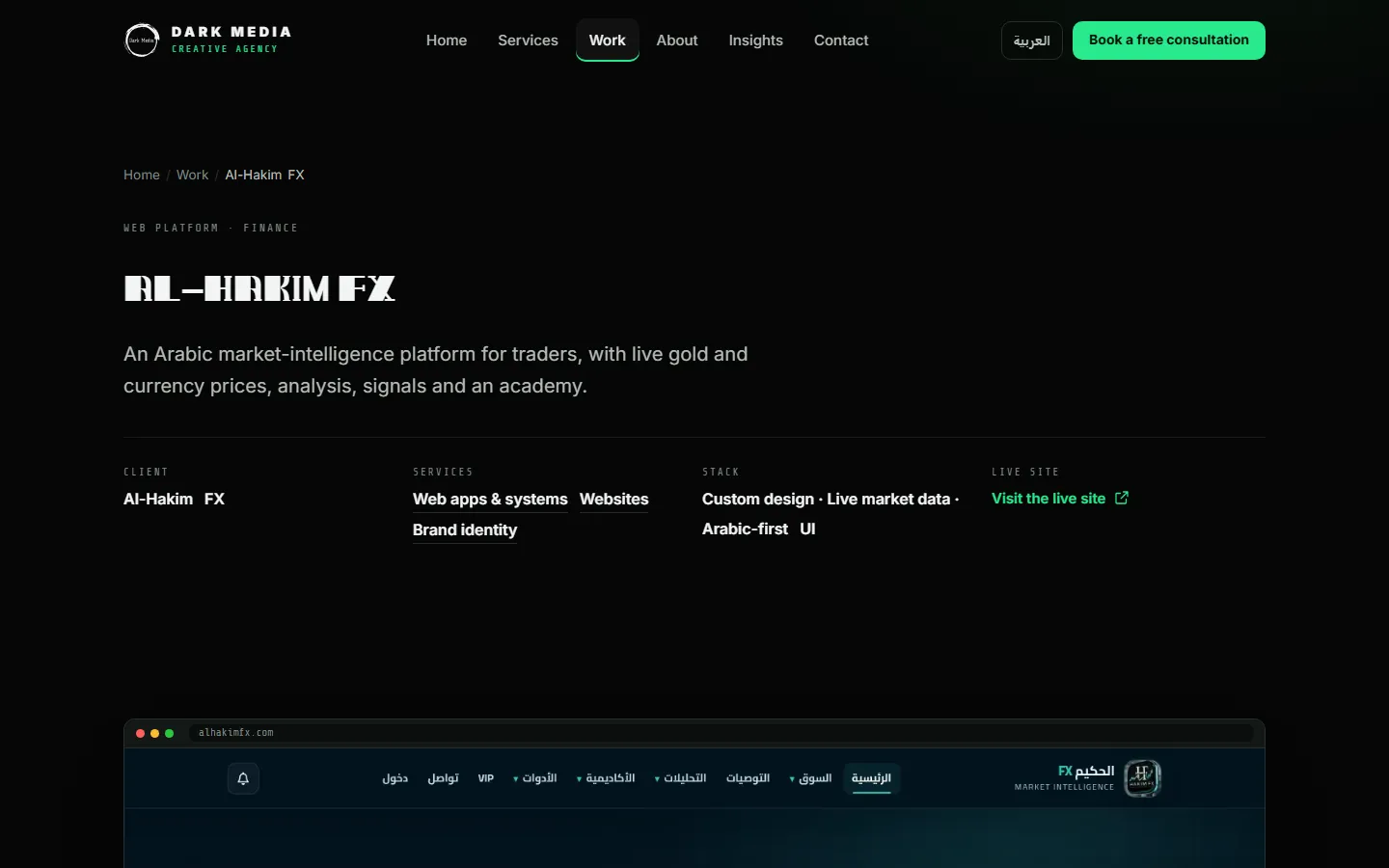
The case study is where a visitor decides to trust you. Open with the facts in one row, then tell the story in order: the problem, what you built and what changed for the client. Publish numbers only when the client has agreed to share them.
The about section
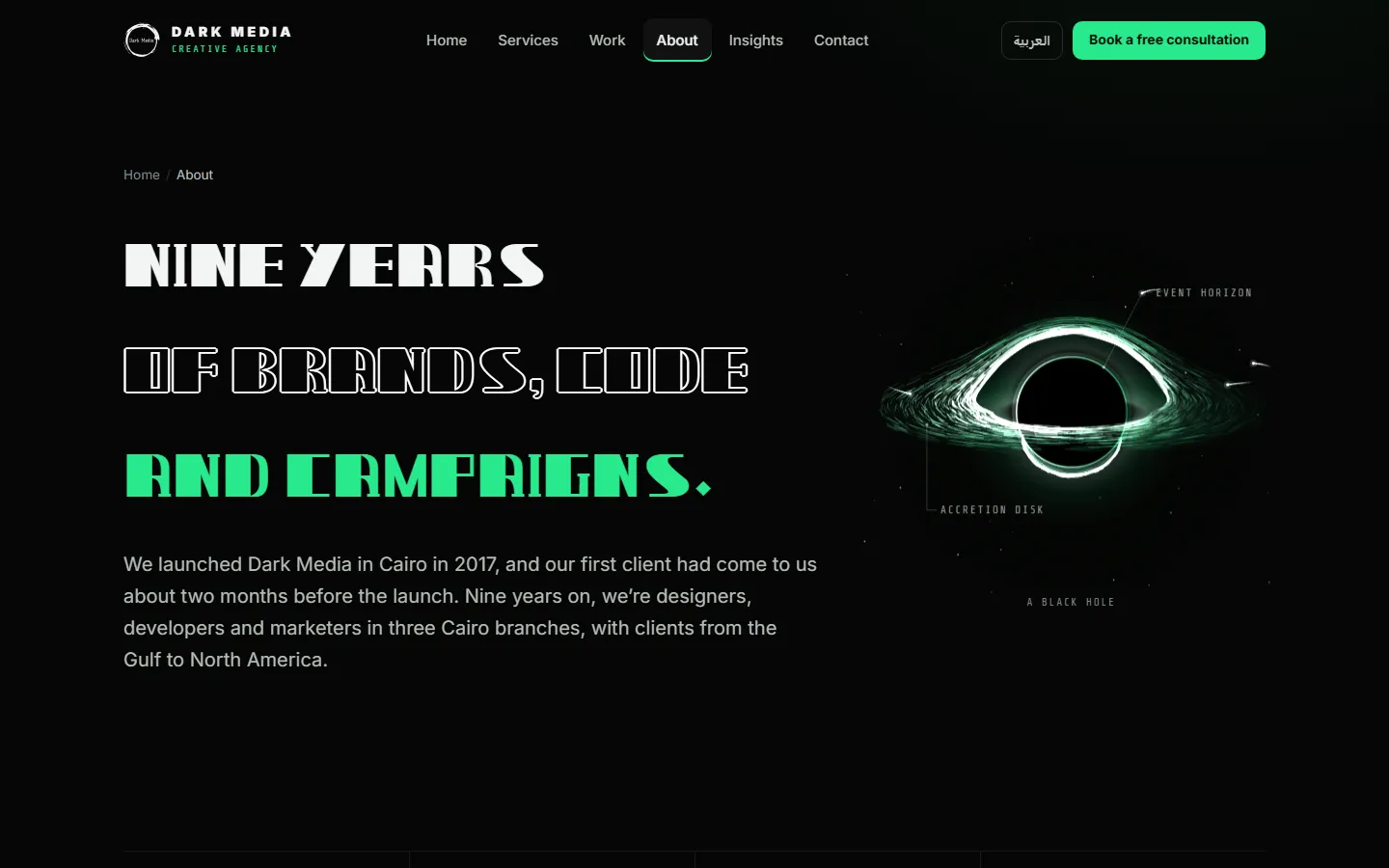
Keep the about section short and specific: when you started, who is on the team, where you work and who you work with. One strong visual is enough.
The services section
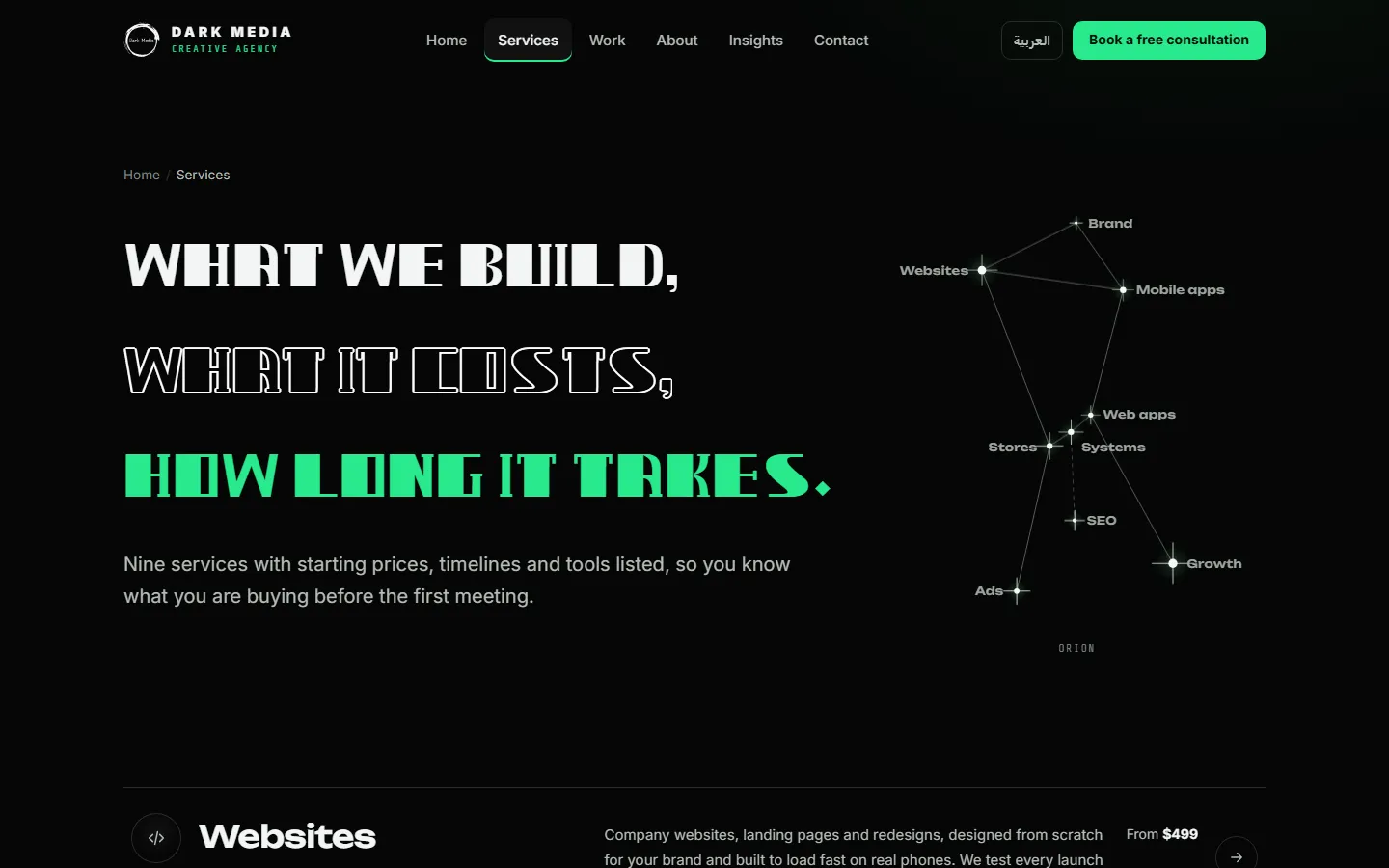
If you sell services, list them with a starting price and a timeline. Visitors who see a price early send better enquiries, and you spend less time on calls that were never a fit.
The contact page
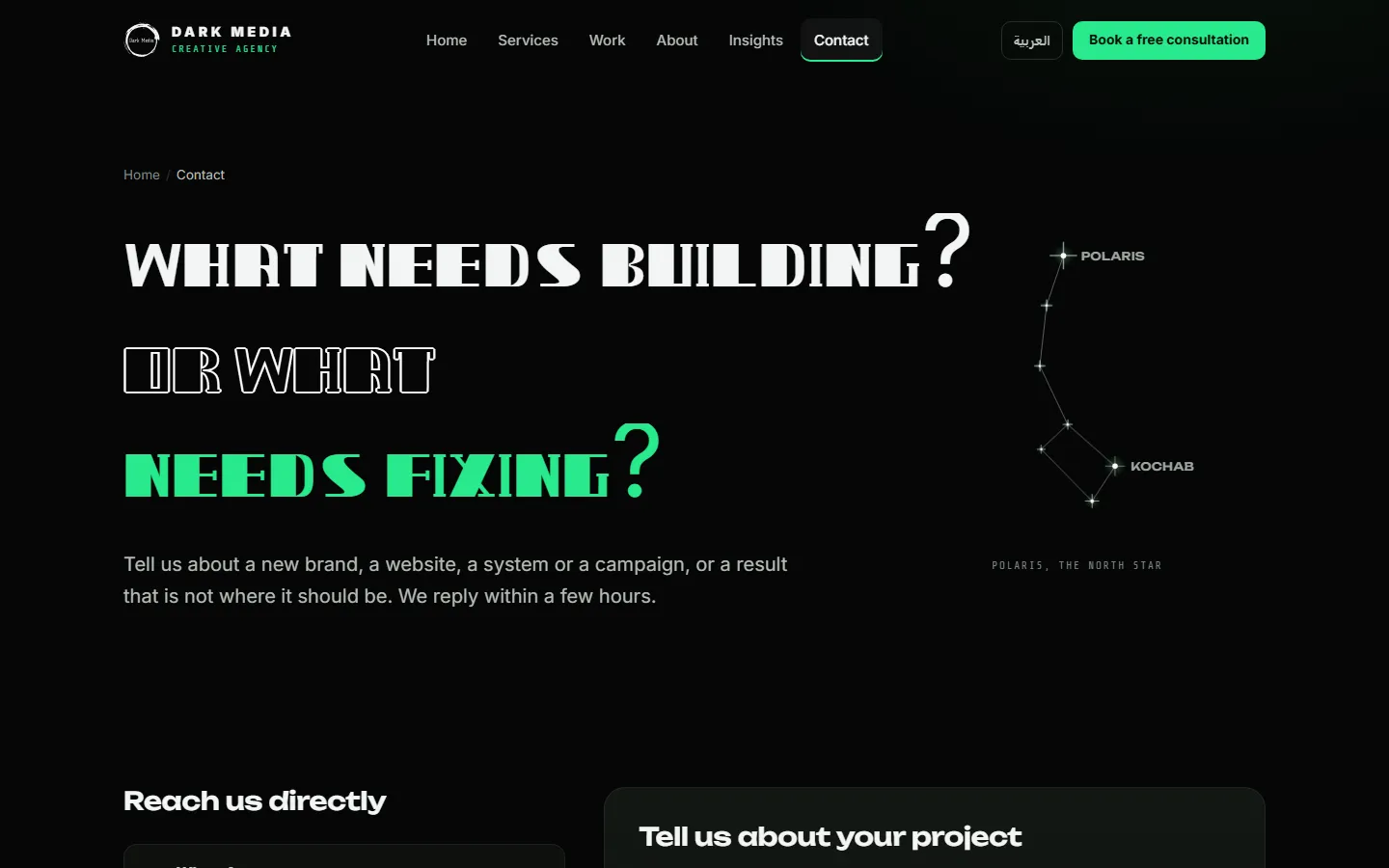
Ask a short question, say how fast you reply, and keep the form to what you need for a first answer. Add a direct line such as WhatsApp or a phone number for people who don’t like forms.
Mobile first
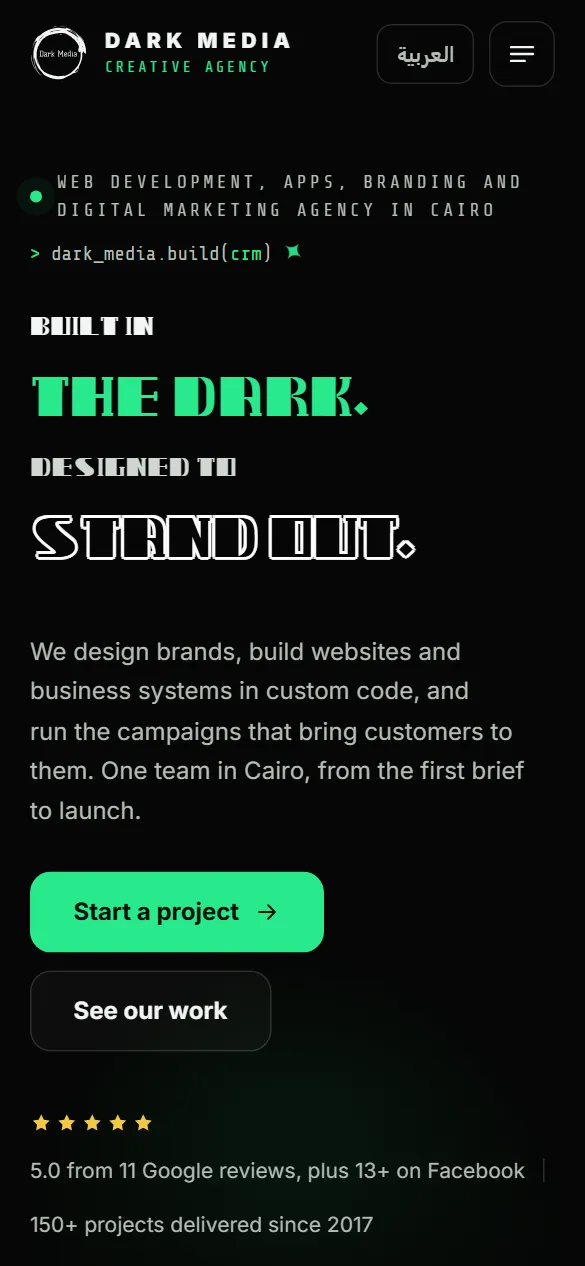
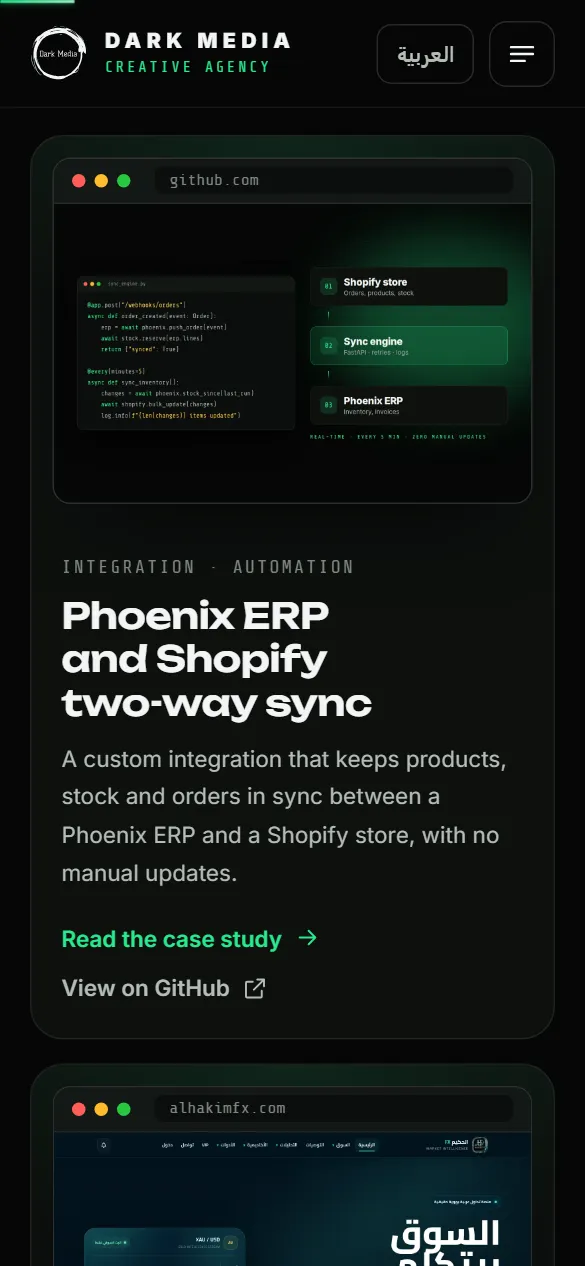
Most visitors see a portfolio on a phone first. Check that headlines fit without breaking words, that buttons are easy to tap and that each project card fits on one screen. Test on a real phone on mobile data, not only in a desktop browser.
Common mistakes
- Showing every project you ever did. Pick the ones that match the clients you want next.
- Images without context. A screenshot with no sentence about the problem it solved is decoration.
- Heavy intros and effects that make visitors wait before they see any work.
- No clear next step at the end of a case study.
- Text baked into images, which search engines and screen readers can’t read.
Questions about portfolio websites
Should a portfolio website be dark or light?
Either works. Dark suits bright, colourful work and screenshots. Light suits print work, photography in dark tones and long reading. Choose the one that makes your work look best.
How many projects should a portfolio show?
Six to ten strong projects are usually enough, with full case studies for the three or four that best show the work you want more of.
Can you design and build a portfolio website for us?
Yes. We design it in Figma, build it in custom code with a dashboard for your projects, and test it on real phones before launch. See our website development service or our work.